| | | | |
 |
|
About Eduspace What is Eduspace?What tools does it offer? Choose your language Remote Sensing Principles What is remote sensing?Remote sensing in depthHistory of Earth observationMapping and satellite dataSatellite orbitsEarth observation satellites Resources Multimedia Image GalleryVideo GalleryServices Contact usSearch in Eduspace
| | | | | | | Image processing software
Eduspace provides students and teachers with the proper tools to manipulate images.
LEOWorks
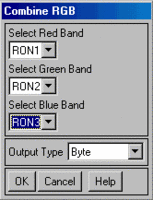
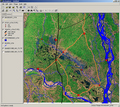
LEOWorks is an important feature of Eduspace. It allows secondary school students to do actual processing of satellite imagery. LEOWorks is able to perform basic and advanced processing operations, such as geometric correction, pan-sharpening and image classification. Several tools are available, such as Geographical Information Systems (GIS) functionalities that enable the displaying, drawing and managing of information layers as points, lines and polygons, on top of images.
LEOWorks is a didactical tool with extensive help pages and an all-inclusive tutorial (see right of page). With the assistance of this documentation, students will be able to experiment with their own imagery and undertake their own processing. LEOWorks is compatible with data collected by several Earth Observation missions, and can read most standard image formats (e.g. jpg, tif, bmp, png).
LEOWorks 4 is the latest version of the software and it is platform independent (Windows, MacOS, Linux).
ArcExplorer
ArcExplorer is a freeware used to display and analyse layers of Geographical Information Systems (GIS). It includes a complete user guide that has been made available by ESRI, one of the leading providers of GIS software and GIS solutions.
| |
| | Software downloads Eduspace Image CatalogueLEOWorks 3LEOWorks 4ArcExplorerTutorials LEOWorks 3 TutorialLEOWorks 4 TutorialLEOWorks 4 QuickStart (pdf)ArcExplorer Tutorial
|